

UC5 · Step 1 of 3 — Job 0055 lights up the units field
Maria Rivera · Staffing Clerk · Dept 3630 / Line 5 · Tuesday, 06:00
Maria is staffing the morning. She clicks SO-447121 · 81224 Pickle Spears
32oz, which she immediately recognizes as a hand-pack run — Job 0055.
The Assignment Editor opens. The Units (job 0055) group box, which was greyed out and showing "n/a" for the job 0040 orders we saw in UC1, is now active and prompting for a case count.
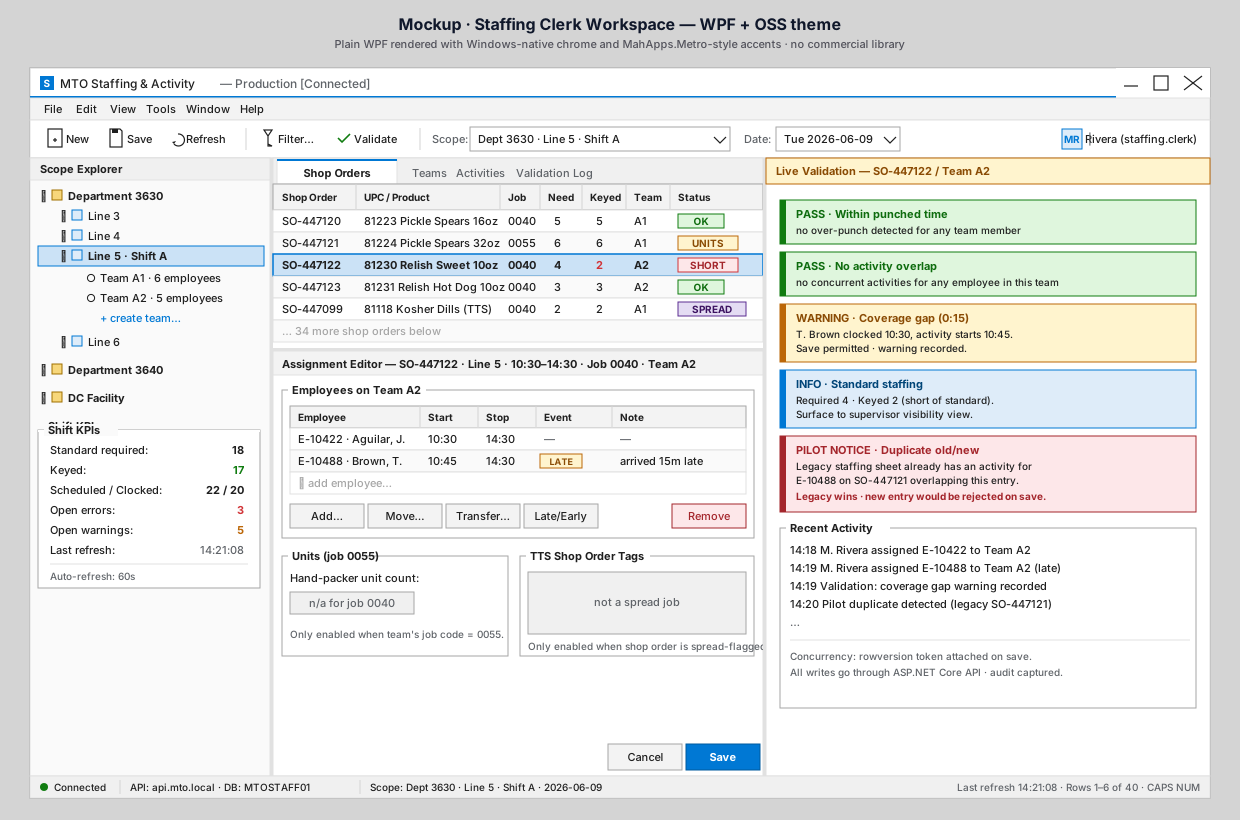
What to notice on the Staffing Board
- The status badge for SO-447121 says
UNITSin amber — a friendly reminder that a unit count is expected for this order. - The shop-order list shows job code
0055in the Job column. The status badge is derived from that code, not entered separately.
What the editor knows
- The team for SO-447121 is Team A1 with 6 hand packers assigned, 06:00–10:30 each. (Maria already staffed the team earlier; this step focuses on the units capture.)
- The team total is 27.00 hours.
- Because the job code is 0055, the Units group box becomes the primary control. The TTS panel stays in "n/a" because this isn't a spread order.
Why the field is conditional
A common request is to "always show every possible field, just in case." We deliberately don't, for two reasons:
- Lower error rate. A clerk who never sees a units field on a 0040 activity will never accidentally enter a count there.
- Visual signal. When the field does appear, it's a cue: this order needs unit capture today.
What Maria does not see yet
The actual count. She'll enter it at the end of the activity (10:30), when she knows how many cases the team packed. That's covered in the next step.
⬅ Use Case Index · 🏠 Demo Home · ▶ Next: Step 2 — Capture the count