

UC3 · Step 2 of 5 — Read the KPI tiles
Jaspreet Singh · Production Supervisor · Dept 3630 · Tuesday, 14:22
Jaspreet's eyes go straight to the four KPI tiles. This is the 5-second "are we okay?" check.
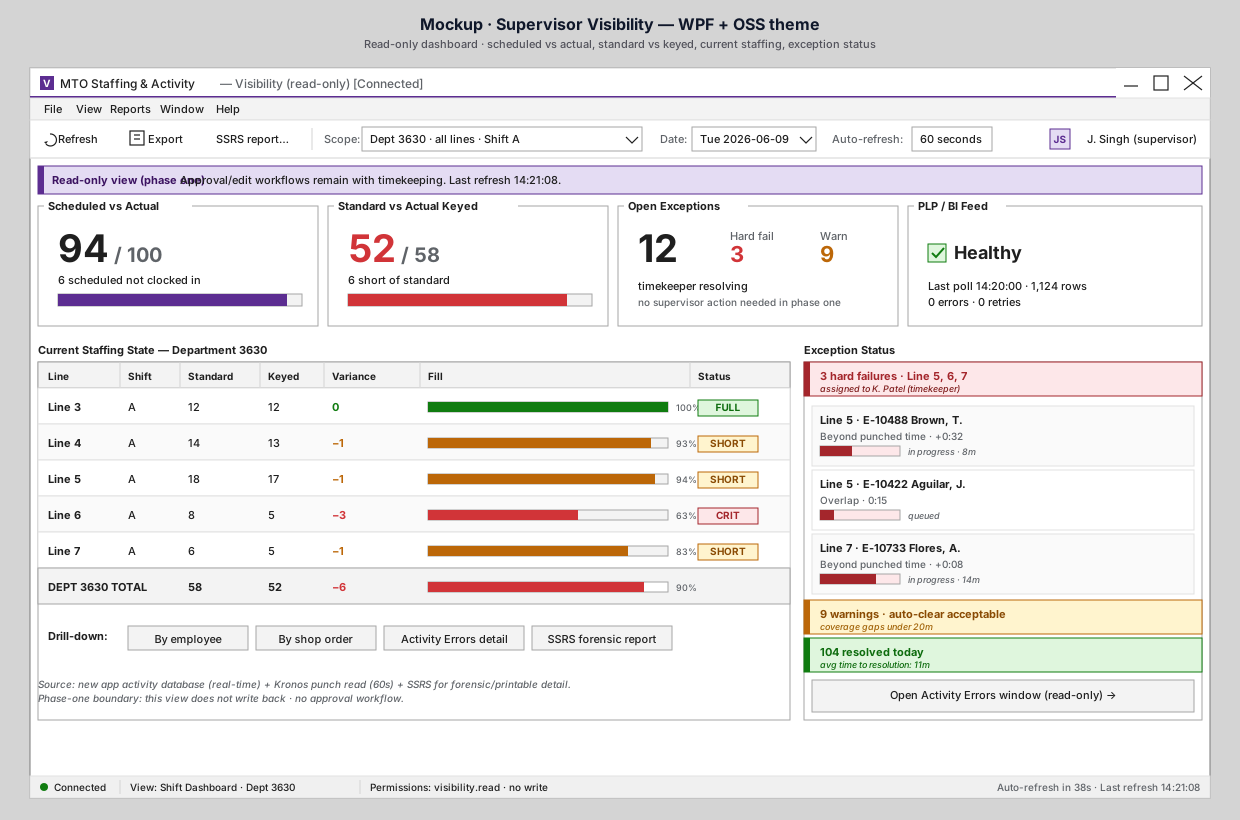
The four tiles, in plain English
| Tile | Today's reading | What it means |
|---|---|---|
| Scheduled vs Actual | 94 / 100 | 6 of his scheduled employees aren't clocked in. Could be late arrivals, call-outs, or scheduling drift. He's at 94% — within tolerance for this shift. |
| Standard vs Actual Keyed | 52 / 58 (red) | He needs 58 employees keyed to activities to meet standard staffing. Only 52 are. He's running 6 short of standard. This is the number that says "we need to do something." |
| Open Exceptions | 12 total · 3 hard fail · 9 warn | Activity errors exist. Hard fails are with timekeeping; warnings are mostly auto-acceptable. He doesn't have to do anything here — but he can see what's in flight. |
| PLP / BI Feed | Healthy · last poll 14:20 · 1,124 rows · 0 errors | The downstream warehouse poll is current. Reporting won't be stale by the end of the shift. |
The KPI hierarchy
This is the order Jaspreet's brain processes them:
- PLP feed healthy? If no — reporting will lie to everyone downstream; call IT. (Today: yes.)
- Standard vs Keyed? If short — something needs attention on the floor. (Today: short by 6 — needs attention.)
- Scheduled vs Actual? If low — call-outs or late arrivals; possibly adjust the line plan. (Today: 94% — fine.)
- Open Exceptions? If many hard fails — timekeeping is buried; offer help. (Today: 3 hard fails, manageable.)
What this replaces
Today, getting these four numbers means: checking the schedule print-out, asking the staffing clerks, pulling a Kronos report for clock-ins, asking the timekeeper how the day looks, and waiting for the next PLP report to land. The four tiles collapse that into a glance.
Why it matters
Jaspreet's value isn't in collecting these numbers — it's in deciding what to do about them. The dashboard gets him to the decision faster.
⬅ Prev: Step 1 — Open the dashboard · Use Case Index · 🏠 Demo Home · ▶ Next: Step 3 — Spot a problem line